Step 1: Login to your GoDaddy account.
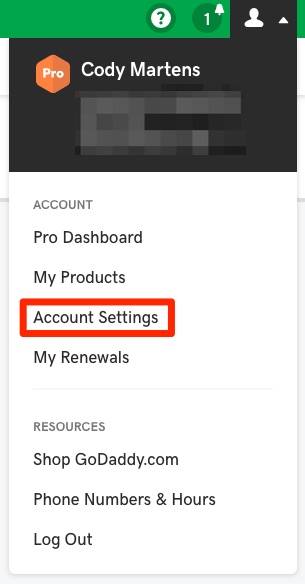
Step 2: Hover over the user icon in the top-right and click “Account Settings”.
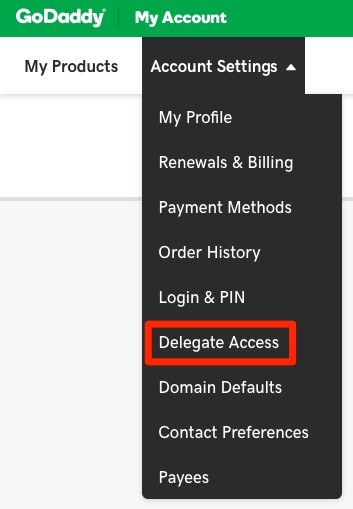
Step 3: Hover over “Account Settings” on the menu bar on the left and click “Delegate Access”.
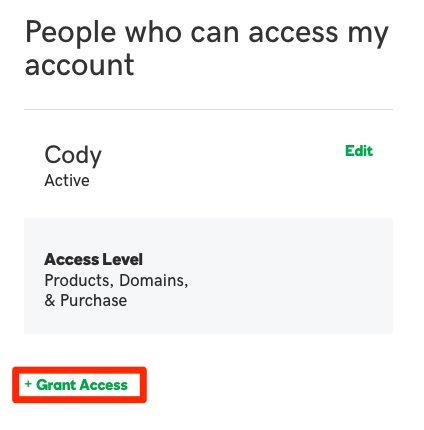
Step 4: Click “Grant Access” under “People who can access my account”.
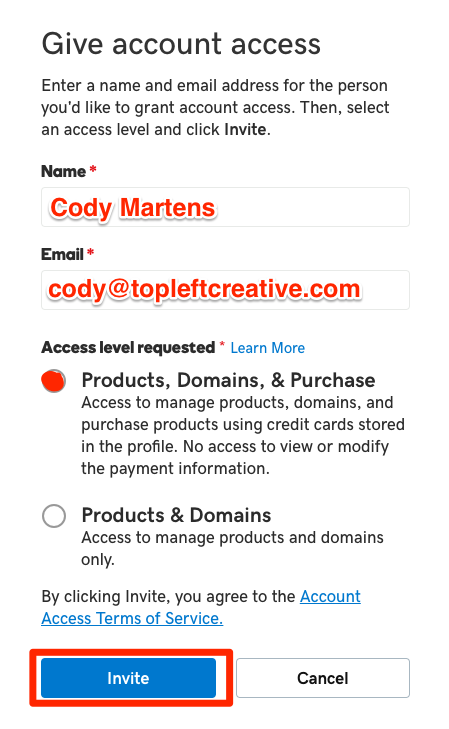
Step 5: Do the following:
- Type “Cody Martens” under “Name”.
- Type “[email protected]” under “Email”.
- Choose “Products, Domains, & Purchase” under “Access level requested”.
- Click “Invite”.
Leave a Reply